

Signature Resizer
Turn a photo or scan of your signature into the exact width, height and file size an application form asks for. Empty paper is cropped and the background made white.
Runs in your browser. Your data is not uploaded.How our tools work
Presets
Enter the sizes your form asks for (1 KB = 1,000 bytes).
Clean-up: crop margins · white paper
Sign in dark ink on plain white paper, then take the photo in daylight without shadows. For a photo instead of a signature, use the image resizer.
How do I resize a signature for an online form?
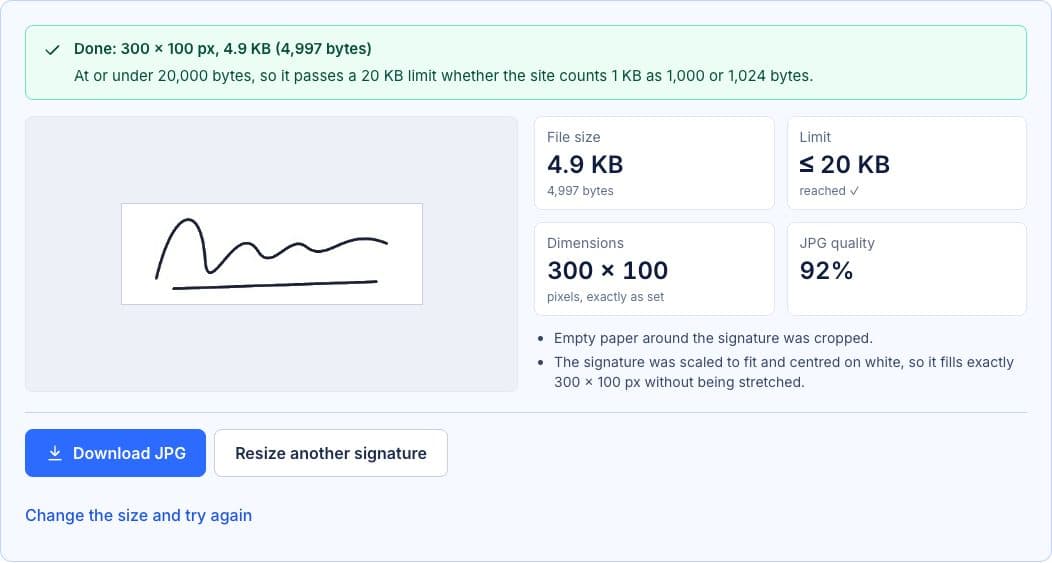
Enter the width, height and maximum size your form asks for, then choose a photo or scan of your signature. The tool crops the empty paper, fits the signature onto a white image of exactly that size without stretching it, and finds the highest JPG quality under the limit.
- Sign in dark ink on plain white paper and take a photo in daylight, or scan it.
- Enter the width and height in pixels and the maximum file size in KB that the form asks for.
- Choose the photo. Empty margins are cropped, the signature is scaled to fit and centred, and the paper is made pure white.
- Check the preview and the exact size in bytes, then download the JPG. To try other dimensions, change them and apply them to the same image.
Key features
Exact pixel dimensions
The result is always exactly the width and height you enter. The signature is scaled to fit inside and centred on white, so it is never stretched.
Under your KB limit
The tool searches for the highest JPG quality at or under the limit, counted as 1,000 bytes per KB, so it passes whichever way the form counts.
Crops empty margins
Paper around the signature is detected and cropped, so the signature fills the space instead of being a small scribble in a big white box.
Cleans the paper
The grey cast and light shadows of a phone photo are turned pure white. The signature looks crisp and the file gets much smaller.
Common uses
- Signature uploads for exam, university and job applications
- Government and bank forms that set pixel and KB limits
Supported formats and limits
- Input
- JPG, PNG, WebP, GIF, BMP, AVIF up to 40 MB. HEIC where your browser supports it
- Output
- JPG on a white background
- Dimensions
- 16 to 2,000 pixels per side
- Size limit
- 1 KB to 1,000 KB
Getting a clean signature photo
Use a black or dark blue pen on plain white paper, and sign a little larger than usual so the lines stay clear when the image is made small. Photograph it from straight above in daylight, with no shadow from your phone or hand across the page.
The tool treats anything lighter than light grey as paper. Lined or coloured paper, a pencil signature or a strong shadow can confuse the cropping. If that happens, turn off “Crop empty margins”, crop the photo yourself and try again.
Related tools
Frequently Asked Questions
What size should my signature be?
Use the dimensions and file size in the form’s instructions; they differ between organisations. If the form gives only a file size, a wide shape such as 300 × 100 pixels suits most signatures.
Will my signature be stretched to the size I enter?
No. It is scaled to fit inside the width and height, keeping its shape, and centred on white. The file still has exactly the dimensions you entered.
Can I get a transparent background?
No. The result is a JPG, the format forms expect, and JPG has no transparency. The background is made white instead.
The tool says no signature was found. Why?
It looks for dark ink on light paper. A very faint pen, a dark background or a heavy shadow can hide the signature. Retake the photo in better light, or turn off “Crop empty margins”.
Is my signature stored?
No. Everything happens in your browser, and nothing is uploaded or saved.
Last updated: